Build an Android App Using Claude AI is becoming one of the most popular ways for beginners, entrepreneurs, bloggers, and business owners to create mobile applications in 2026. Artificial Intelligence is transforming the app development industry, making it easier than ever to turn ideas into fully functional Android apps. Just a few years ago, building an Android application required advanced coding skills, expensive software, and months of development work. Today, AI-powered tools have changed the process completely.
Claude AI helps users generate code, create app structures, design user interfaces, solve programming problems, and even guide developers through the entire app creation process. Whether you want to build a business app, blog app, eCommerce app, educational app, or productivity tool, Claude AI can help you complete tasks faster while reducing development time and effort.
One of the biggest advantages of using Claude AI is that you do not need to be an expert programmer to get started. The platform can explain technical concepts in simple language, making Android app development more accessible to students, freelancers, startups, and small business owners. Instead of spending hours searching for solutions online, users can receive instant guidance and practical coding assistance.
In this step-by-step guide, you will learn how to build an Android app using Claude AI from planning and design to coding, testing, and publishing. Even if you have little or no coding experience, this guide will help you understand the process and take your first steps toward creating a successful Android application in 2026.

What Is Claude AI?
Claude AI is an advanced artificial intelligence assistant developed by Anthropic that is helping transform the way developers create mobile applications. If your goal is to Build an Android App Using Claude AI, this powerful AI tool can simplify many parts of the development process, making app creation faster and more accessible for both beginners and experienced programmers.
Claude AI can assist with a wide range of development tasks, including writing code, creating app structures, designing user interfaces, fixing programming errors, generating content, and explaining complex technical concepts in simple language. Instead of spending hours searching through forums, documentation, and tutorials, developers can ask Claude AI questions and receive detailed, easy-to-understand answers almost instantly.
One of the biggest reasons developers choose to Build an Android App Using Claude AI is its ability to provide practical coding assistance. Whether you need help creating a login screen, setting up a database connection, building navigation menus, or solving coding issues, Claude AI can generate useful suggestions that save valuable development time.
Another advantage is its educational value. People who want to Build an Android App Using Claude AI can learn programming concepts while developing their projects. The AI explains code, suggests improvements, and helps users understand how different app components work together. This makes it an excellent learning companion for students, freelancers, and startup founders.
As AI technology continues to evolve, more businesses and developers are choosing to Build an Android App Using Claude AI because it improves productivity and reduces development complexity. From planning and coding to testing and optimization, Claude AI can support nearly every stage of the development process. For anyone looking to Build an Android App Using Claude AI in 2026, it serves as a powerful assistant that can help turn ideas into functional Android applications more efficiently than ever before.
Why Use Claude AI for Android App Development?
Many people wonder why they should use artificial intelligence when creating a mobile application. The answer is simple: Build an Android App Using Claude AI can save time, reduce development costs, and make the entire app creation process much easier for beginners and professionals alike. In 2026, AI-powered development tools are helping businesses and developers work more efficiently than ever before.
One of the biggest advantages of using Claude AI is faster development. Instead of spending hours writing basic code from scratch, developers can generate code snippets within seconds. This allows them to focus on improving app functionality and user experience rather than repeating routine coding tasks. When you Build an Android App Using Claude AI, you can significantly speed up the development process and bring your ideas to life faster.
Another major benefit is that Claude AI is beginner-friendly. Even if you have never created an Android application before, Claude AI can guide you through coding concepts, app architecture, debugging, and feature implementation. It acts like a personal assistant that helps you understand complex technical topics in simple language.
Businesses also benefit from reduced development costs. Since Claude AI can automate many repetitive tasks, companies can save valuable time and resources. This is especially useful for startups, bloggers, freelancers, and small business owners who want to launch an app without hiring a large development team.
In addition, Claude AI improves productivity by allowing developers to focus on creativity and innovation. While the AI handles repetitive coding and troubleshooting tasks, developers can spend more time refining features and enhancing the overall user experience.
Problem-solving is another area where Claude AI excels. It can explain coding errors, identify bugs, and suggest practical solutions quickly. This makes development smoother and less frustrating, especially for beginners. Whether you are creating a business app, blog app, educational app, or eCommerce application, Build an Android App Using Claude AI can help streamline the entire development process and make Android app creation more accessible, efficient, and affordable than ever before.
Step 1: Define Your App Idea
Before writing any code, decide what type of Android app you want to create.
Ask yourself:
What problem will the app solve?
Who is the target audience?
What features should the app include?
Examples:
- Food Delivery App
- Business App
- Educational App
- Fitness Tracker
- Blog Application
- Shopping App
You can ask Claude AI:
"Help me create a business app idea for small companies."
Claude AI can generate feature suggestions, app names, and user flow ideas.
Step 2: Create a Feature List
Once you have an idea, create a feature list.
For example, if you are building a blog app:
- User Login
- Article Categories
- Push Notifications
- Search Functionality
- Dark Mode
- Bookmark Feature
You can ask Claude AI:
"Create a feature roadmap for a blog Android app."
This helps organize development before coding begins.
Step 3: Design the User Interface
A good user interface improves user experience.
Ask Claude AI to generate:
- Screen layouts
- Button placement ideas
- Navigation structures
- Dashboard designs
Example prompt:
"Design a clean Android app interface for a food delivery application."
Claude AI can provide detailed UI recommendations.
You may also use design tools like:
- Figma
- Adobe XD
- Canva
Create simple wireframes before development begins.
Step 4: Choose Your Development Method
There are multiple ways to build Android apps.
Native Android Development
Uses:
- Java
- Kotlin
Best for high-performance apps.
Cross-Platform Development Uses:
- Flutter
- React Native
Best for developing Android and iOS apps simultaneously.
If you are a beginner, Flutter is often easier to learn.
Ask Claude AI:
"Generate a Flutter app structure for a business application."
Step 5: Generate Code with Claude AI
This is where Claude AI becomes powerful.
You can ask:
"Write a Flutter login screen."
Or:
"Create a registration page using Flutter."
Claude AI can generate:
- Login pages
- Registration forms
- Navigation menus
- Database integration code
- API connection code
Always review generated code before using it.
AI can save time, but human verification remains important.
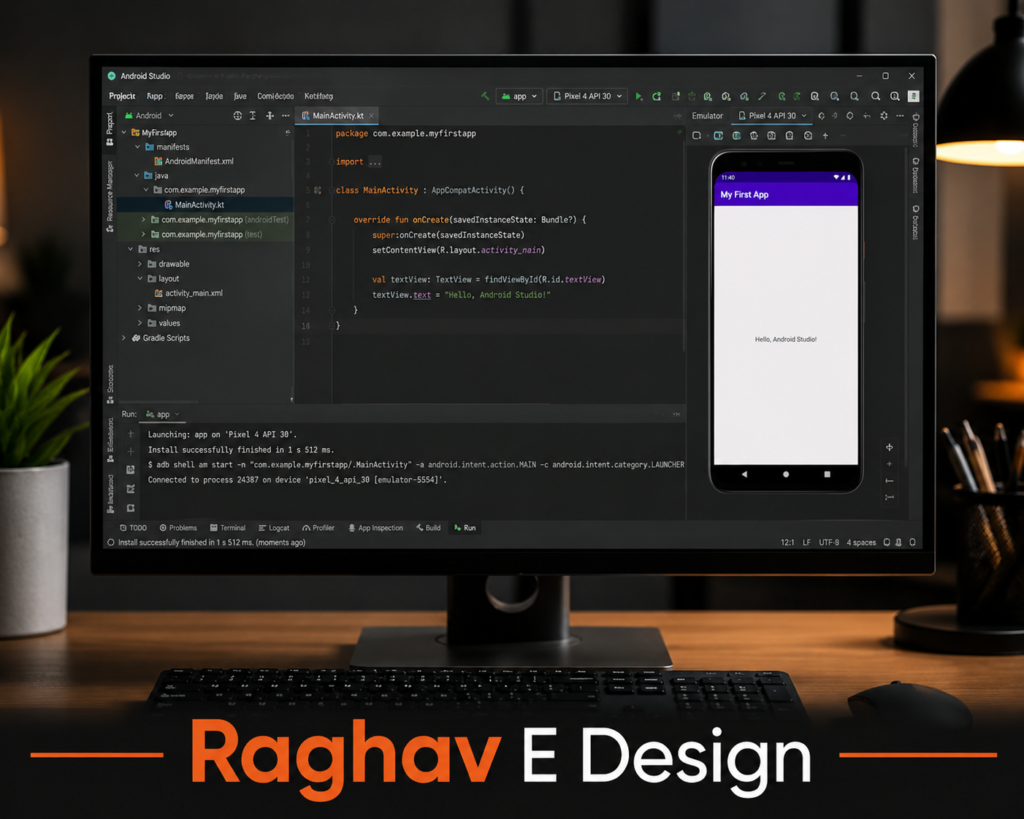
Step 6: Set Up Android Studio
Android Studio is the official Android development environment.
Install:
- Android Studio
- Android SDK
- Flutter SDK (if using Flutter)
Claude AI can guide you through installation steps.
Example prompt:
"Help me install Flutter and Android Studio on Windows."
Follow the instructions carefully.
Step 7: Build Core Features
After setup, start implementing your features.
For example:
User Authentication
Allow users to sign in.
Database Integration
Store user information securely.
Notifications
Send updates to users.
Search Functionality
Help users find content quickly.
Step 8: Connect APIs
Most modern apps use APIs.
Examples:
- Weather APIs
- Payment APIs
- News APIs
- Maps APIs
You can ask Claude AI:
"Show me how to connect a weather API in Flutter."
The AI can explain the process step by step.
Step 9: Test Your Application
Testing is extremely important.
Check:
- App performance
- Loading speed
- User experience
- Crash issues
- Navigation flow
Claude AI can help identify common bugs and optimization opportunities.
Testing should be done on:
- Android Emulator
- Physical Android Devices
Step 10: Improve App Security
Security should never be ignored.
Important practices include:
- Secure user authentication
- Encrypted data storage
- Secure API keys
Strong password requirements
Claude AI can recommend security improvements based on your app type.
Step 11: Optimize Performance
A slow application loses users quickly.
Optimize:
- Images
- API requests
- Database queries
- App startup speed
Ask Claude AI:
"How can I improve Android app performance?"
The AI can provide actionable recommendations.
Step 12: Prepare for Launch
Before publishing:
- Fix bugs
- Optimize performance
- Update screenshots
- Create privacy policies
- Prepare descriptions
This stage determines your app's first impression.
Contact Raghav E Design today and get started.
Step 13: Publish on Google Play Store
Publishing requires:
- Google Play Developer Account
- App Bundle (AAB)
- Screenshots
- Feature Graphic
- Privacy Policy
Upload your application and submit it for review.
Once approved, your app becomes available to Android users worldwide.
Benefits of Using Claude AI in 2026
Claude AI continues to improve every year, making it one of the most valuable tools for modern app development. For developers, entrepreneurs, startups, and small business owners, the ability to Build an Android App Using Claude AI offers several advantages that can significantly improve productivity and reduce development challenges. As artificial intelligence becomes more advanced, app creation is becoming faster, smarter, and more accessible than ever before.
One of the biggest benefits is faster coding. Claude AI can generate code snippets, suggest improvements, and help solve programming issues within seconds. This reduces the amount of time developers spend on repetitive tasks and allows them to focus on creating better app experiences. Another major advantage is improved documentation. Claude AI can explain technical concepts in simple language, making it easier for beginners to understand Android development and learn new skills while building their projects.
Businesses can also benefit from reduced development costs. Since many development tasks can be completed more efficiently with AI assistance, companies can save both time and resources. This is especially useful for startups and small businesses that need to launch products quickly without investing heavily in large development teams. When businesses choose to Build an Android App Using Claude AI, they often find that the development process becomes more streamlined and cost-effective.
In addition, Claude AI improves productivity by helping developers troubleshoot errors, optimize code, and find solutions faster. The easier learning experience and quick problem-solving capabilities make it an excellent tool for both beginners and professionals. As AI technology continues to evolve, more people are choosing to Build an Android App Using Claude AI because it simplifies development while helping them launch high-quality applications faster and more efficiently.
Conclusion
Build an Android App Using Claude AI has become much easier than it was just a few years ago. Today, creating an Android application no longer requires years of programming experience or a large development budget. With Claude AI, beginners, students, entrepreneurs, bloggers, and professional developers can build applications faster, learn new skills, and turn their ideas into working mobile apps more efficiently.
From the initial planning stage to app design, coding, testing, debugging, and deployment, Claude AI can provide valuable assistance throughout the entire development journey. It can help generate code, explain technical concepts, suggest improvements, and solve common development challenges, making the app-building process simpler and more accessible for everyone.
However, while AI tools are incredibly powerful, successful Android applications still depend on human creativity, critical thinking, and decision-making. Developers must carefully review generated code, test app functionality, improve user experience, and ensure the final product meets user expectations. AI can speed up development and reduce complexity, but it should be viewed as a smart assistant rather than a complete replacement for developers. By combining human expertise with AI-powered tools, anyone can build an Android app using Claude AI more effectively and achieve better results in 2026.