
People now consume information through blogs, podcasts, YouTube videos, audiobooks, online courses, and social media voiceovers. This shift has created a huge demand for realistic AI voice tools, and among all available platforms, ElevenLabs has quickly become one of the most powerful solutions.
If you are a blogger, content creator, marketer, teacher, or business owner, learning how to convert text into a professional AI voice can save time, reduce production costs, and significantly improve your content quality. This is where ElevenLabs stands out.
In this complete guide, you’ll learn what ElevenLabs is, how it works, how to generate an AI voice from text step by step, its benefits, best practices, SEO advantages, and how you can use it to grow your digital presence.
What Is ElevenLabs?
ElevenLabs is an advanced AI-powered text-to-speech platform that transforms written text into highly realistic human-like voiceovers. Unlike traditional robotic text-to-speech tools, ElevenLabs uses cutting-edge artificial intelligence and deep learning to create voices that sound natural, emotional, and professional.
Whether you need:
- YouTube narration
- Blog audio versions
- Podcast voiceovers
- Audiobooks
- Marketing ads
- E-learning narration
ElevenLabs can handle it with exceptional quality.
Why ElevenLabs Is So Popular in 2026
The biggest reason behind the popularity of ElevenLabs is its near-human voice quality. It offers expressive speech patterns, realistic pronunciation, and customizable voice options that make content sound authentic.
Key Features of ElevenLabs:
1. Ultra-Realistic AI Voices
ElevenLabs produces voices that sound almost human, making it ideal for professional use.
2. Voice Cloning
You can clone your own voice or create a brand-specific voice identity.
3. Multilingual Support
Generate AI voices in multiple languages for global audiences.
4. Emotional Tone Control
Adjust tone for storytelling, tutorials, or promotional content.
5. Fast Text-to-Speech Conversion
Convert scripts into voiceovers within minutes.
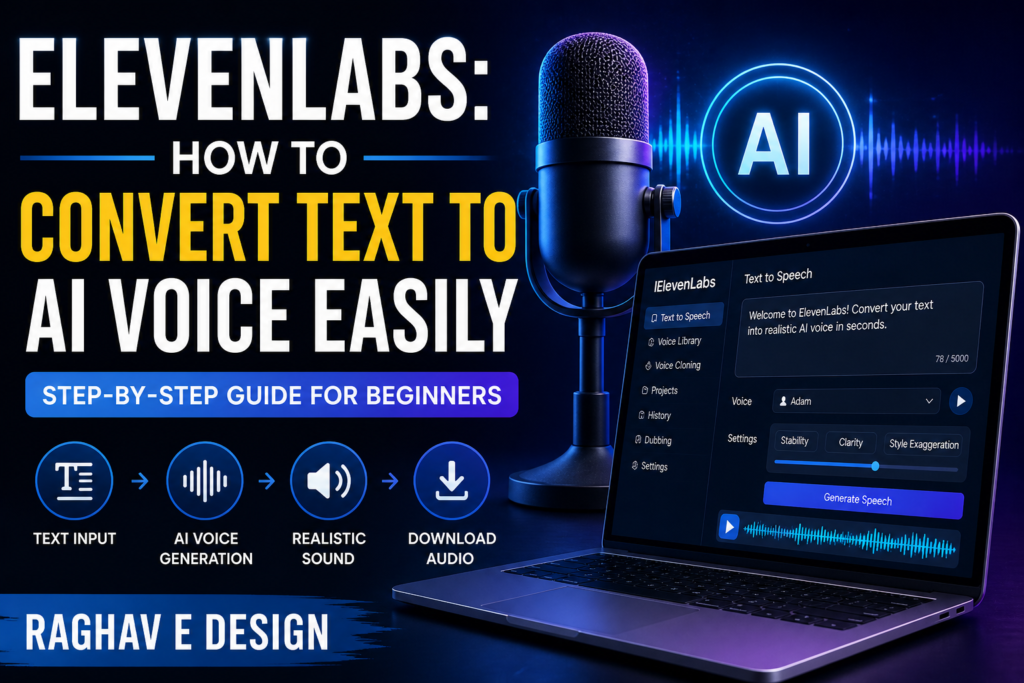
How to Convert Text to AI Voice Using ElevenLabs
If you’re a beginner, don’t worry. The process is simple.
Step 1: Create an ElevenLabs Account
Visit the official ElevenLabs website and sign up for a free or premium account.
Tip:
The free plan is good for testing, but the premium offers better voice limits and advanced customization.
Step 2: Choose “Text to Speech”
Once logged in:
- Go to Dashboard
- Select “Text to Speech”
- Paste your written content into the text box
This can be:
- Blog paragraphs
- Video scripts
- Marketing copy
- Educational lessons
Step 3: Select Your Voice
ElevenLabs offers multiple voice profiles:
- Male
- Female
- Professional
- Conversational
- Storytelling
Choose the one that matches your audience and content style.
Step 4: Customize Voice Settings
For better results, adjust:
Stability:
Controls consistency of voice tone.
Clarity:
Improves pronunciation and speech sharpness.
Style Exaggeration:
Adds emotion and expressiveness.
Step 5: Generate Audio
Click “Generate,” and within seconds, your text becomes realistic AI speech.
Step 6: Download & Use
Export your audio file and use it for:
- YouTube videos
- Instagram reels
- Podcasts
- Courses
- Blog accessibility
Best Uses of ElevenLabs for Bloggers
If your goal is to increase website traffic, ElevenLabs can become a powerful tool.
1. Turn Blog Posts into Audio Content
Adding audio versions to blog posts improves user engagement and session duration.
2. Create YouTube Narration
Convert written articles into videos.
3. Improve Accessibility
AI voice helps visually impaired users consume your content.
4. Social Media Content
Create voiceovers for reels, shorts, and ads.
SEO Benefits of Using ElevenLabs
Many website owners focus only on text SEO, but audio content can indirectly improve SEO performance too.
Better User Experience
Audio content increases time on page.
Lower Bounce Rate
Visitors stay longer when they can listen instead of just reading.
Content Repurposing
One blog can become:
- Audio blog
- Podcast
- YouTube video
- Social content
Brand Authority
Professional voiceovers improve trust.
Common Mistakes to Avoid
1. Using Long Paragraphs
Break text into smaller sections for natural speech.
2. Ignoring Punctuation
Punctuation affects pauses and tone.
3. Wrong Voice Selection
A mismatch can reduce engagement.
4. Overusing AI Tone
Keep speech natural and audience-focused.
Pro Tips for Better AI Voice Output
Use Conversational Writing
Write as if speaking to a real person.
Add Pauses
Commas and periods improve delivery.
Test Multiple Voices
Different niches need different tones.
Optimize Script First
Good writing = Better AI voice.
Is ElevenLabs Worth It?
For most creators, yes.
If you regularly create:
- Blog content
- Videos
- Courses
- Ads
- Audiobooks
Then ElevenLabs can save countless hours while maintaining premium quality.
Who Should Use ElevenLabs?
Bloggers
Convert articles into voice content.
YouTubers
Professional narration without hiring voice artists.
Businesses
Ads, customer communication, product explainers.
Teachers
Educational lessons and online courses.
Authors
Audiobook creation.
Conclusion
As AI continues to transform content creation, ElevenLabs is becoming one of the most valuable tools for creators who want speed, quality, and scalability.
If you want to turn simple text into powerful, natural-sounding audio, ElevenLabs offers one of the easiest and most professional solutions available today.
For bloggers especially, this tool is more than just a convenience—it’s a growth strategy. By converting written posts into engaging voice content, you can improve user experience, increase website traffic, and expand your reach across multiple platforms.
Whether you’re building a personal brand, growing your business, or scaling content production, learning ElevenLabs now can give you a major competitive advantage.