
Introduction
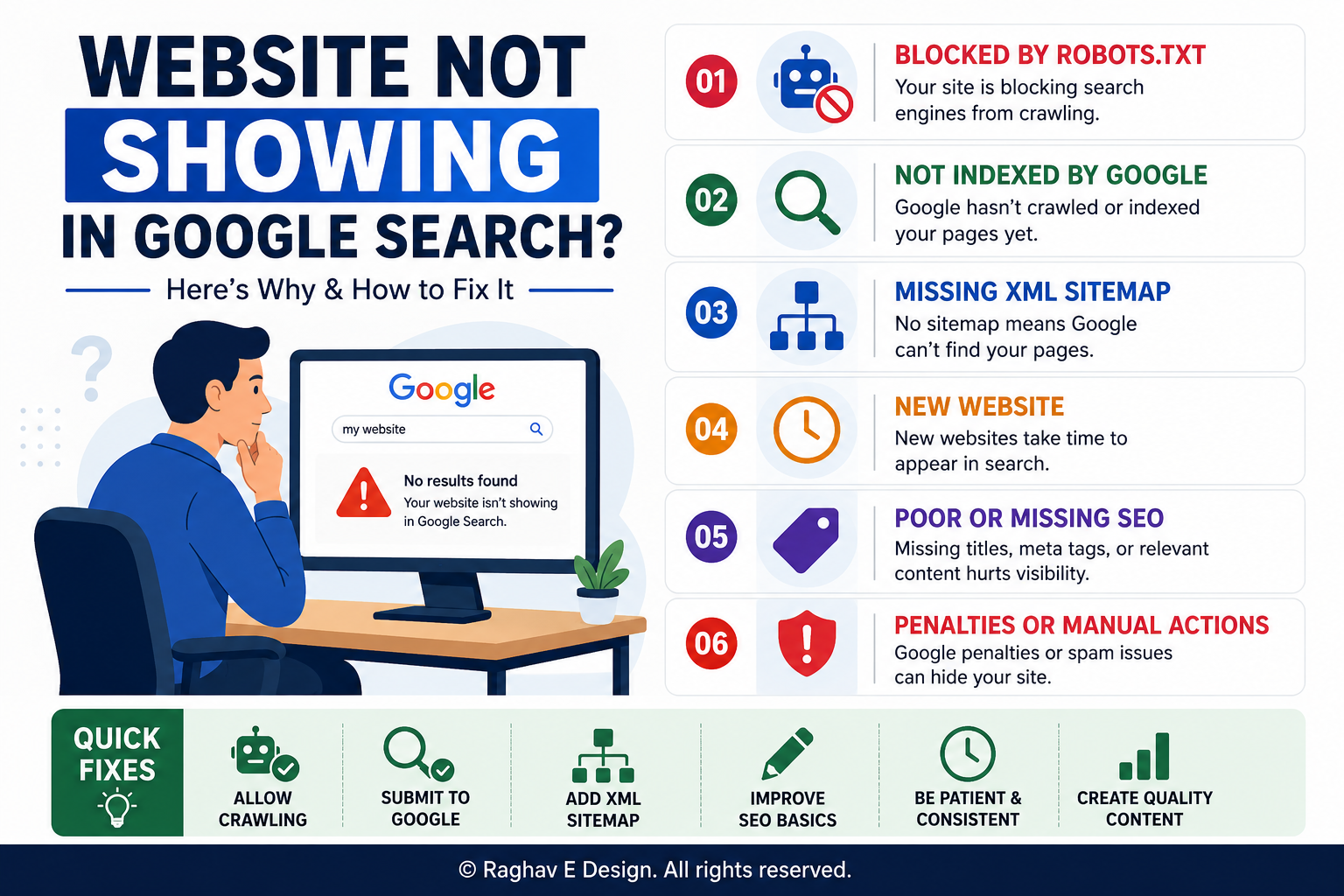
You built a website, filled it with content, and hit publish. Then you searched your own business name on Google, expecting to see your site right there — but it's nowhere to be found. If you're asking yourself why your website is not showing in Google search, you're not alone. This is one of the most common concerns website owners bring to us, and the reasons behind it are usually fixable once you know where to look. In most cases, it comes down to indexing problems, technical errors, or a site that's simply too new for Google to have noticed yet. Let's walk through exactly what's going on and how to get your site found.
What Does It Mean When a Website Isn't Showing on Google?
When a website doesn't appear in Google search results, it usually means one of two things: either Google hasn't crawled and indexed your pages yet, or something is actively blocking the site from being indexed. Crawling is when Google's bots visit your pages, and indexing is when those pages get stored in Google's database so they can appear in search results. If either step fails, your website stays invisible no matter how good your content is.
Why It Matters
A website that doesn't show up in search is essentially invisible to potential customers. People rarely go past the first page of results, and if your business isn't there, you're losing traffic, leads, and sales to competitors who are visible. For local businesses especially, showing up in Google search directly affects phone calls, walk-ins, and inquiries. This isn't just a technical inconvenience — it has a real impact on revenue.
Common Reasons Your Website Isn't Showing in Google Search
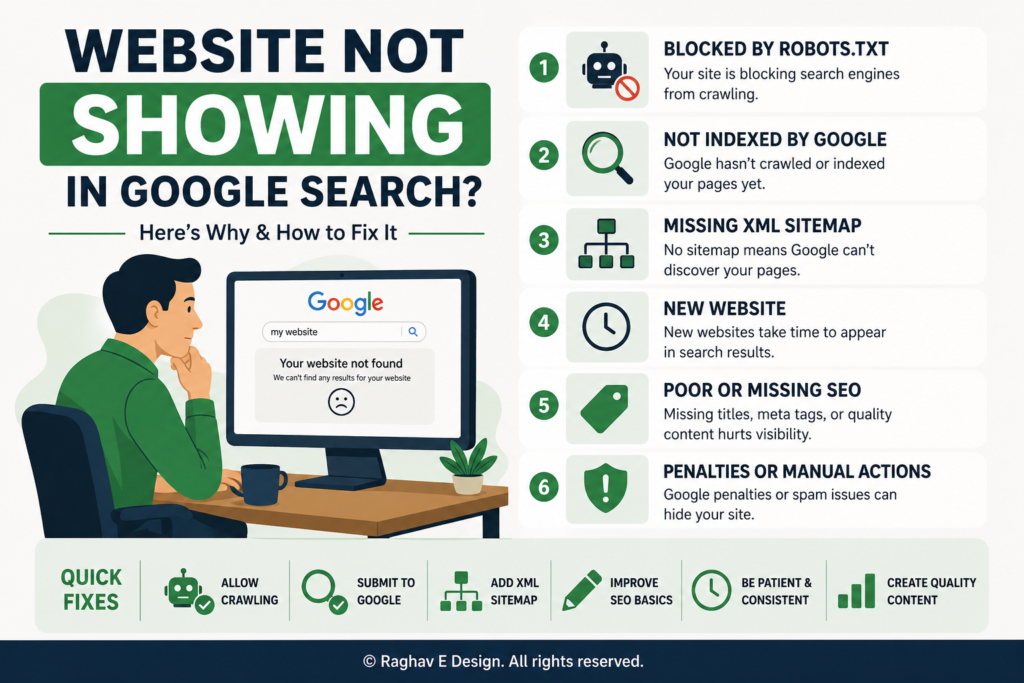
1.The Website Is Brand New
If you launched your site recently, Google simply may not have crawled it yet. Indexing new websites can take anywhere from a few days to a few weeks, depending on how well the site is structured and linked.
2. No XML Sitemap Submitted
Google relies on sitemaps to understand your site's structure. If you haven't submitted an XML sitemap through Google Search Console, discovery can take much longer.
3.Robots.txt Blocking Search Engines
Sometimes a robots.txt file accidentally blocks Google's crawlers from accessing the entire site. This often happens when a site moves from a staging environment to live without updating this file.
4."Noindex" Tag Left in Place
Developers frequently add a noindex meta tag while building a site so it doesn't appear in search results prematurely. If that tag isn't removed after launch, Google will skip indexing the pages entirely.
5. Poor Site Structure or Broken
Internal Links If Google's bots can't navigate from one page to another, they may miss large sections of your website. Clean navigation and internal linking help crawlers find every page.
6. Manual Actions or Penalties
In rare cases, Google may have removed a site from search results due to spammy practices, hacked content, or violations of its guidelines. Checking the Manual Actions report in Search Console will confirm this.
7. Duplicate or Thin Content
Pages with very little unique content, or content copied from elsewhere, are often filtered out of search results because Google search doesn't see enough value in showing them.
8. Slow Loading Speed or Mobile
Issues While this doesn't always stop indexing outright, poor Core Web Vitals and mobile usability issues can suppress rankings so severely that the site feels invisible.
Benefits of Fixing Your Google Visibility
- Free, ongoing traffic without paying for every click.
- Increased trust, since users associate search visibility with credibility.
- Better lead generation and more inquiries.
- Stronger long-term brand presence in your industry.
- A foundation for other marketing efforts, including Google Ads and content marketing, to perform better.
Step-by-Step Process to Get Your Website Showing on Google
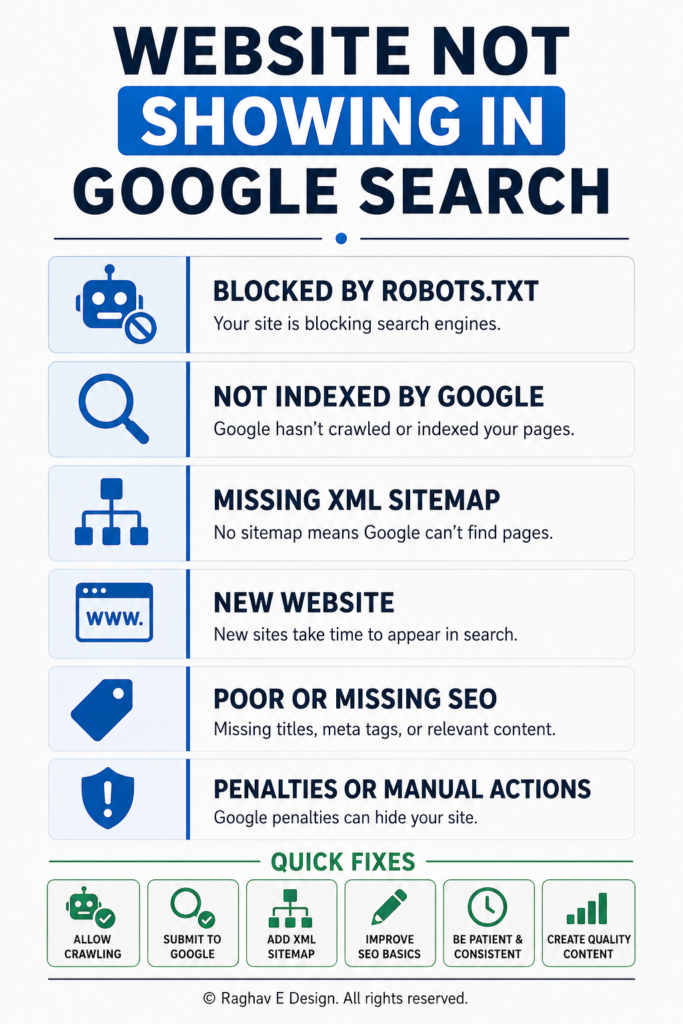
- Set up Google Search Console and verify ownership of your website.
- Check the Coverage report to see which pages are indexed and which have errors.
- Submit your XML sitemap directly through Search Console.
- Use the URL Inspection tool to check individual pages and request indexing manually.
- Review your robots.txt file to confirm you're not blocking important pages.
- Search your site's meta tags for any leftover noindex directives.
- Improve internal linking so every important page is reachable within a few clicks from the homepage.
- Build a few quality backlinks from relevant, trustworthy websites to help Google search discover and trust your site faster.
- Monitor progress weekly rather than expecting instant results.
Best Practices to Stay Visible on Google
- Publish original, useful content regularly instead of duplicating what's already online.
- Keep your sitemap updated whenever you add or remove pages.
- Use descriptive, keyword-relevant page titles and headings.
- Make sure your website works properly on mobile devices.
- Fix broken links and outdated redirects promptly.
- Keep your site secure with HTTPS, since Google favors secure websites.
Common Mistakes to Avoid
- Assuming indexing happens instantly after launch
- Forgetting to remove development-stage noindex tags
- Ignoring Search Console warnings and errors
- Copying content from other websites or using AI-generated text without editing
- Overloading pages with keywords instead of writing naturally
- Neglecting mobile experience and page speed
Practical Tips
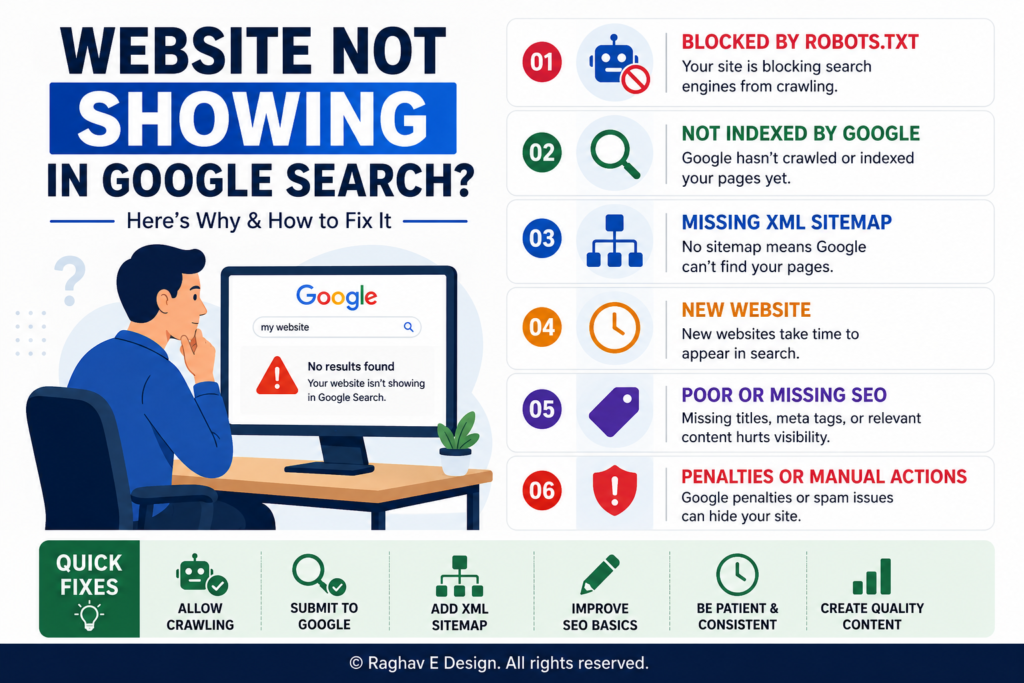
- If a specific page still isn't showing after two to three weeks, use the URL Inspection tool in Search Console to request indexing directly.
- Check your site with a simple
site:yourdomain.comsearch on Google to see which pages are currently indexed. - Keep an eye on crawl errors, since recurring issues often point to a deeper technical problem.
- If your website recently underwent a redesign, double-check that old URLs redirect properly instead of returning errors.
Frequently Asked Questions
1. How long does it take for a new website to show up on Google? It typically takes anywhere from a few days to a few weeks, depending on how quickly Google discovers and crawls your site. Submitting a sitemap and requesting indexing can speed this up.
2. Why is my website not showing up even after months? This usually points to a technical block, such as a noindex tag, robots.txt restriction, thin content, or a manual penalty. Checking Search Console will reveal the specific cause.
3. Does Google Search Console guarantee my website will rank? No. Search Console helps with indexing and diagnostics, but ranking depends on content quality, relevance, backlinks, and overall SEO health.
4. Can a website be indexed but still not appear in search results? Yes. A page can be indexed but rank so low that it never shows on the first few pages. This is often related to weak content, low authority, or strong competition for that keyword.
5. Should I use the "Request Indexing" feature every time I publish a page? It helps for important or time-sensitive pages, but it's not necessary for every single update. Google will eventually recrawl your site on its own schedule.
6. Can a slow website stop Google from indexing it? Extremely slow sites can sometimes cause crawl issues, but speed is more likely to affect rankings than outright prevent indexing.
7. Is it normal for only some pages of my website to show on Google? Yes, this is common, especially for larger websites. Pages with thin content, duplicate information, or poor internal linking are often excluded while stronger pages remain indexed.
Conclusion
If you've been asking why your website is not showing in Google search, the good news is that this problem is almost always solvable. Whether it's a missing sitemap, a leftover noindex tag, weak content, or simply a new site waiting to be discovered, each cause has a clear fix. The key is diagnosing the actual issue instead of guessing, then addressing it methodically through tools like Google Search Console. If you'd rather not handle the technical side alone, the team at Raghav E Design regularly helps businesses diagnose indexing issues, strengthen their SEO foundation, and build websites that Google can find, crawl, and rank with confidence.
Struggling to get your website noticed on Google? Raghav E Design can help you identify exactly why your site isn't showing up and fix it through proper SEO, technical audits, and website optimization. Reach out to us for a straightforward assessment of your website's search visibility and a clear plan to improve it.